Export Archive Data for Simatic WinCC
When working with Simatic WinCC, there may be a need to verify and/or analyze logged process data and historical alarms. Analysis of historical data can be a significant factor in the work of optimizing an automation plant and its associated processes.
Logged process data are difficult to access directly in Simatic WinCC, as it is stored in a SQL database in a compressed format that is not immediately readable.
Swappcon ApS has developed "Export Archive Data" as an external application that makes it easy to export both logged process data and historical alarms.
When the application is installed in Windows, a .NET component is installed at the same time, which makes it possible to integrate the program directly into a graphical WinCC image. This allows the operator to quickly and elegantly verify logged data from within WinCC's graphical runtime surface, e.g. via a WinCC Client PC. It is also possible to export the displayed data values to file, in either CSV format or in Microsoft Excel format, for further data processing.
Automatic export
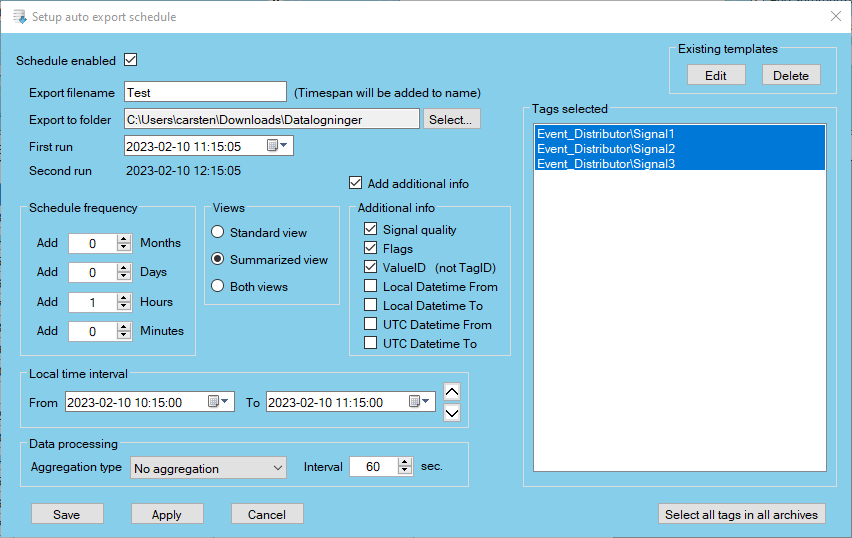
Once the operator has selected values and time period to be exported, the export can be easily and elegantly set up as a fixed automatic timescheduled export to CSV format. This means that in future a CSV file will be automatically generated for each time the export is performed. The export files can be stored in a directory of the operator's choice. The automatic export function opens up the possibility of transferring logged WinCC data values directly to external analysis, without additional user intervention.
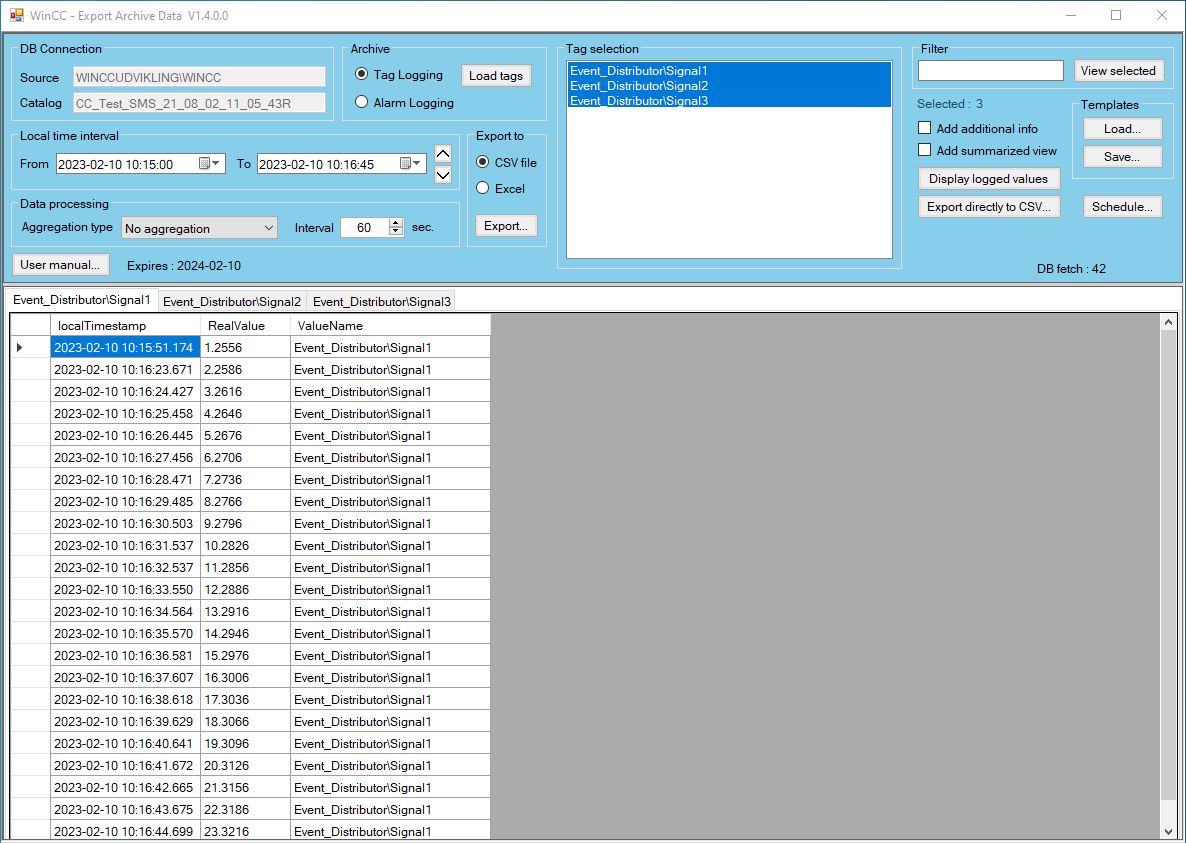
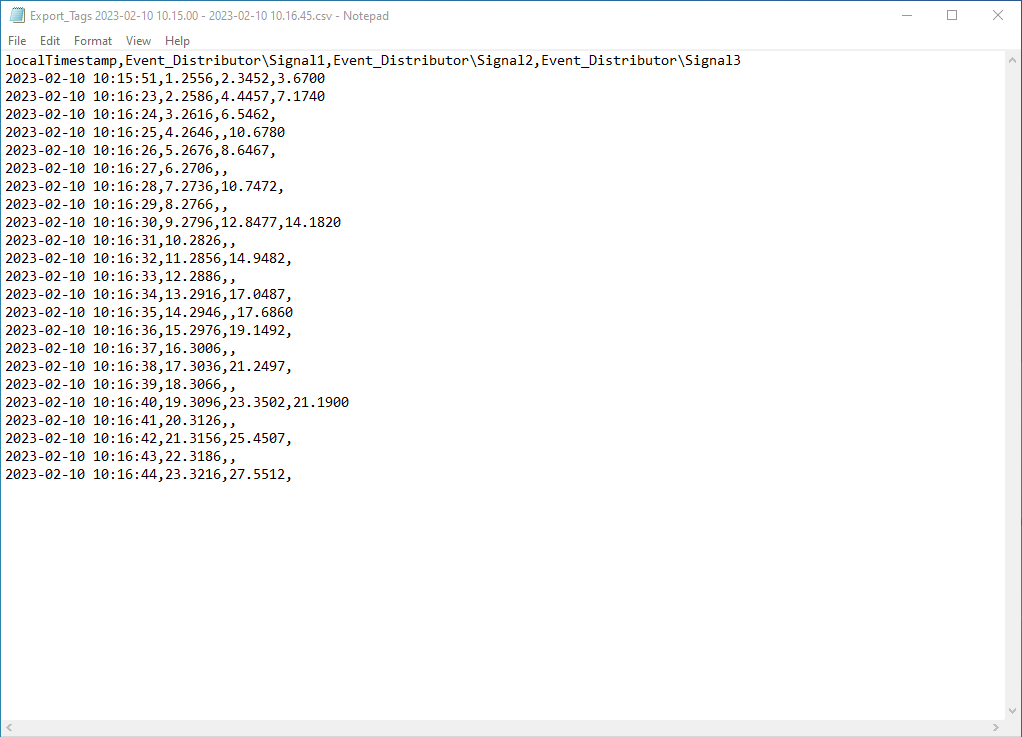
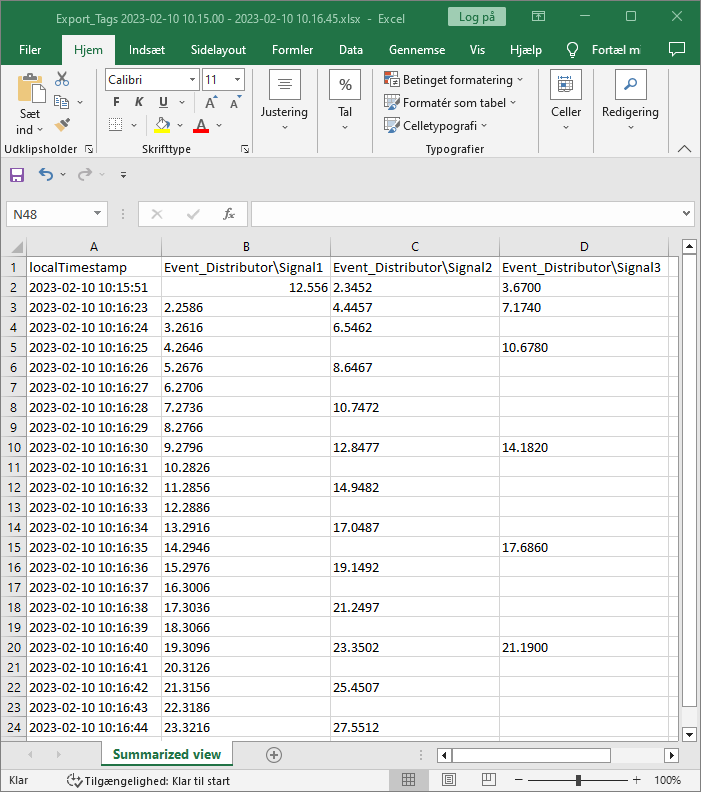
The “Export Archive Data” application offers the following options:
- Automatic connection to WinCC's historical data archives.
- Up to 1000 simultaneous views of historical tags, each tag displayed in a separate tab.
- A tab can contain up to 100.000 historical tag values.
- Dynamic search box for quick filtering of archive tags.
- Free choice of date-time interval.
- Data display as raw data or aggregated data, including:
- FIRST
- LAST
- MIN
- MAX
- AVG
- SUM
- COUNT
- Free choice of time interval for the possible selected aggregation type.
- Free choice of date-time interval for displaying historical alarms.
- Possibility of result display in "Extended" format, which extracts additional information for each logged value.
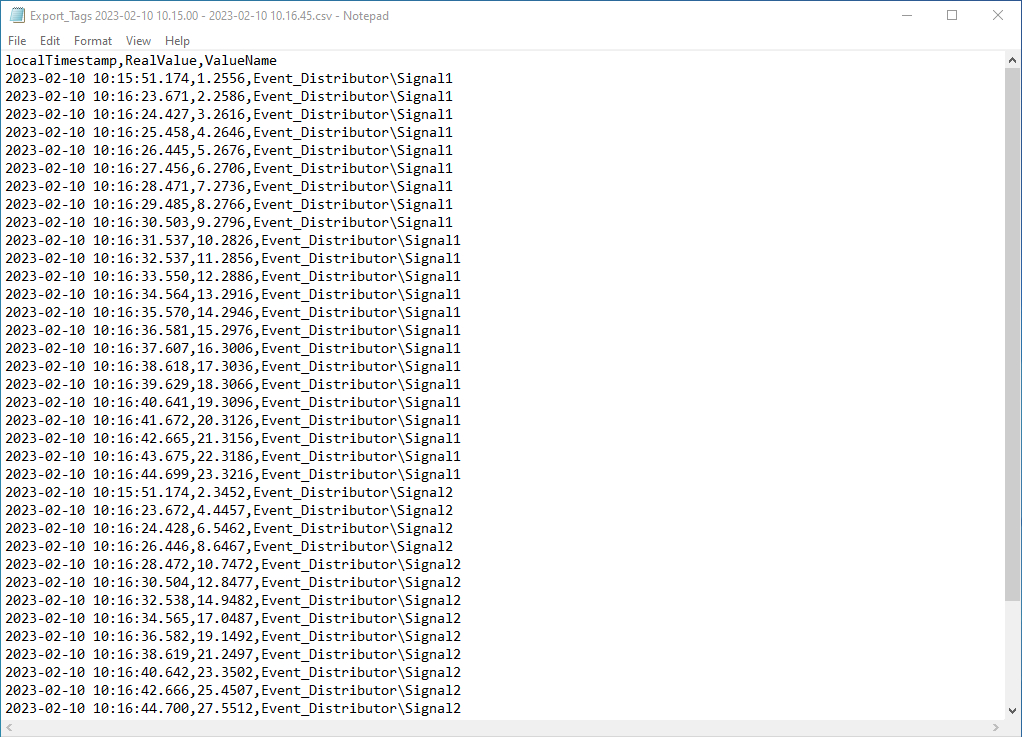
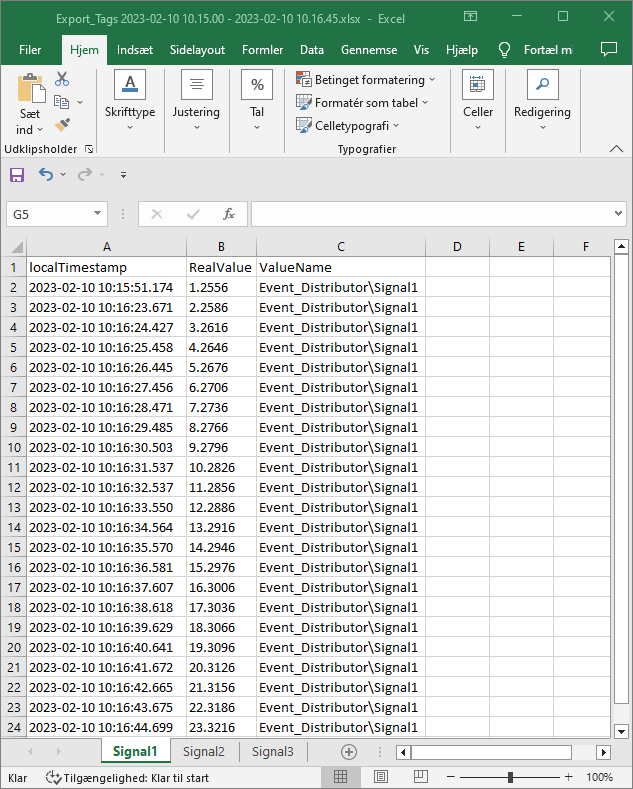
- Possibility to export displayed historical data to CSV- or Microsoft Excel format.
- Option to save all user selections in a template file.
- Ability to load saved templates so that repeated user selections are automated and made easy.
- Setting up automatic timescheduled exports to CSV files based on operator selection, or based on previously saved templates.
- The application can be activated as a standard Windows program and/or integrated directly into a WinCC graphical image. By integrating into WinCC, the simultaneous display of historical tags is reduced to 10, and each tab can contain up to 10.000 historical tag values.
Integration with WinCC
Exporting large amounts of data from WinCC's historical archives can cause extraordinarily heavy load on both general system resources and WinCC. To ensure optimal interaction between the WinCC Runtime graphics system and the .NET component, “Export Archive Data” has been developed as a multithreaded program. This eliminates update pauses in the WinCC graphics system when the "Export Archive Data" program extracts large amounts of data from WinCC's historical archives. It ensures a correct settlement of WinCC.
Software requirements
"Export Archive Data" uses development libraries included in the "Simatic WinCC" software. It is therefore necessary that this SW package is pre-installed on the PC on which “Export Archive Data” is run.
The application is released for:
- Simatic WinCC V7.5 – V8
- Simatic WinCC Professional (TIA Portal) V16 – V19
Export Archive Data license subscription – Price
Purchase of the EAD SW package automatically includes a 1-year license. Subsequent 1 year subscription extensions can be acquired at a price of 50% of the current sale price.
Aktuelle salgspriser pr. 1. juli 2024 :
- Installation package for 1 WinCC Stand-alone : 1080 € excl. VAT
- Installation package for 1 WinCC Server : 1080 € excl. VAT
- Installation package for 1 WinCC Client : 540 € excl. VAT
Fact sheet and user manual
Fact sheet and user manual can be downloaded via this link...Download section.
Demo version
Swappcon ApS can provide a free demo version of the EAD SW-package, which is fully functional for 1 month. Of course, there are no purchase obligations associated with using the demo version.
The demo can be run on a WinCC Server -, WinCC standalone - or a WinCC client PC. The application requires that Windows 64-bit operating system and .NET Framework V.4.5.2 or higher is installed on the PC.
For delivery of a free EAD demo version, please contact "Swappcon ApS" by email: cgr@swappcon.dk, mobile: +45 29678332.